
 Gridbox Pro
Using calipers for an exact fit
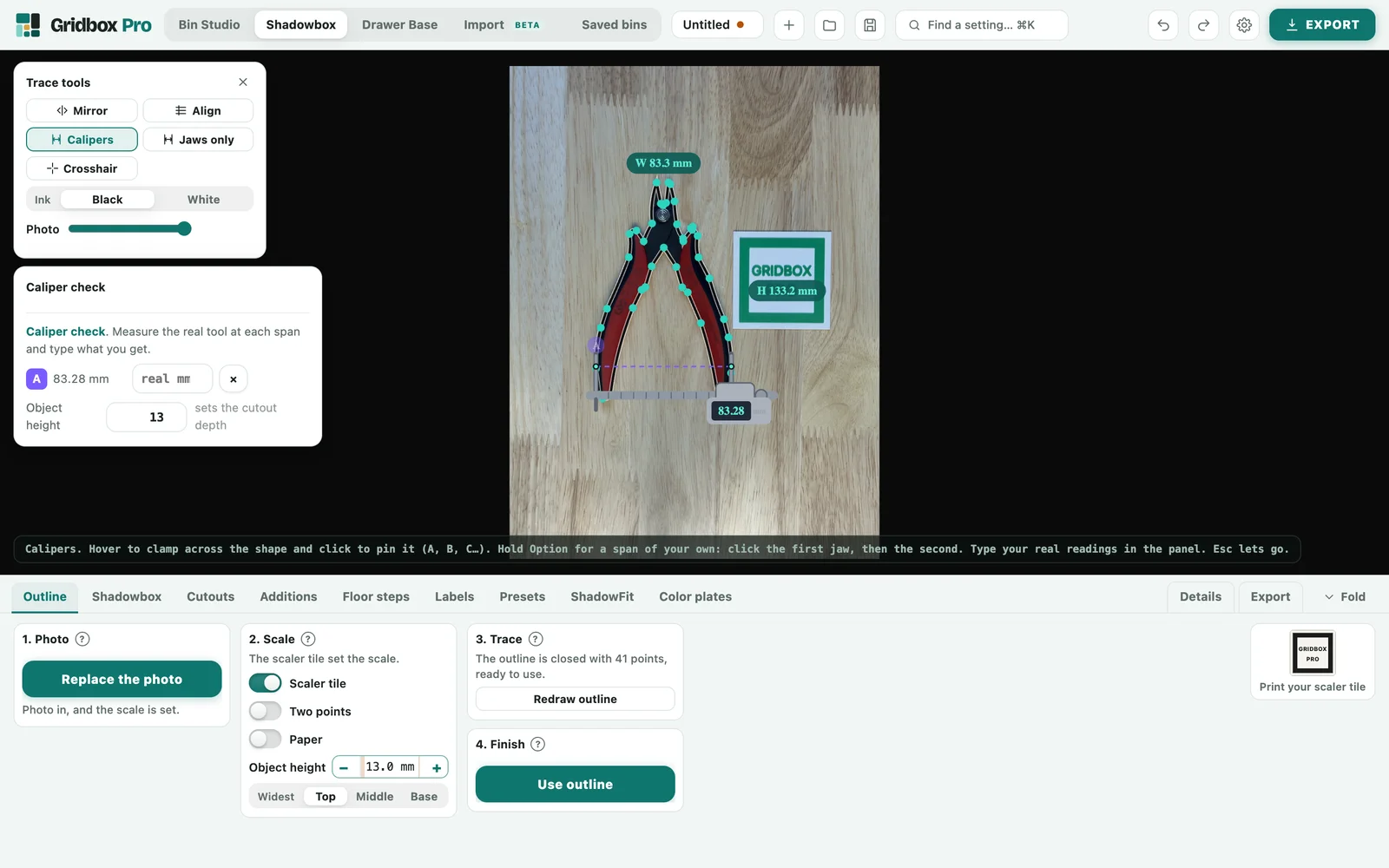
Turn on the calipers with K or M, or from the menu. Hover over the outline and the calipers clamp across whatever is under your pointer. Click to pin a reading, or Option-click to measure between two points. Pinned readings stay until you clear them, one at a time or all at once.
Fixing the outline from your readings
Measure the real tool at the same spot and type the number into the caliper card. Gridbox Pro shows the gap to a hundredth of a millimeter and tells you in plain words which way it was off, where "small" means the outline is smaller than the tool at that spot. With two or more readings that agree, Fix the scale rescales the outline to match. If the width and height are off by different amounts, which can happen when a photo is taken at an angle, it corrects each direction separately. Your readings also give Gridbox Pro a suggestion for how much extra room to give the cutout.
Hundredths of a millimeter
Column width and Row depth show and accept hundredths of a millimeter, so if your calipers say 20.47, you enter 20.47.